Graph margin axis MARGINAXIS command
Commands in this namespace document the logical margin-axis commands of graph, barchart, stripchart, and polar widgets.
MARGINAXIS is used below as a placeholder for any of:
GRAPHINST xaxis
GRAPHINST x2axis
GRAPHINST yaxis
GRAPHINST y2axis
For example:
graph .g

.g xaxis configure -title "Time"
.g yaxis configure -title "Voltage"
These commands operate on axes assigned to one of the graph’s four logical axis positions.
Logical and physical margins
With the normal graph orientation, the logical axes correspond to the following physical margins:
Command |
Physical margin |
|---|---|
|
bottom |
|
top |
|
left |
|
right |
When the graph is configured with -invertxy yes, the logical X and Y directions are exchanged and the
physical margins become:
Command |
Physical margin with |
|---|---|
|
left |
|
right |
|
bottom |
|
top |
Application code can therefore continue to use xaxis and yaxis as logical X and Y interfaces regardless
of graph orientation.
Assigned axes
Each margin can contain one or more virtual axes. The use operation queries or changes the ordered list of
axes assigned to the margin.
For example:
.g axis create time -title time
.g axis create phase -title phase

.g xaxis use {time phase}
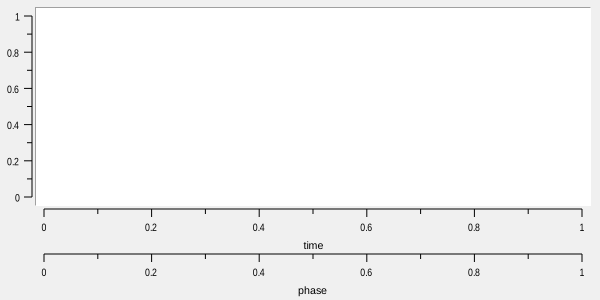
The order is significant. The first axis in the list is the primary axis for that margin and is the axis
addressed by the other MARGINAXIS operations such as configure, cget, transform, and limits.
Additional axes in the list are displayed farther away from the plotting area.
Querying use returns the complete ordered list:
.g xaxis use
# -> time phase
Assigning an axis to a new margin removes it from its previous margin.
An axis assigned through xaxis or x2axis must be an X-type axis. An axis assigned through yaxis or
y2axis must be a Y-type axis. A previously untyped virtual axis acquires the required type when it is
assigned.
An empty list removes all axes from the margin:
.g x2axis use {}
Axis configuration
Margin axes use exactly the same axis configuration options as virtual axes.
See AXIS for the complete axis option reference and for detailed descriptions of axis ranges, logarithmic scaling, ticks, labels, scrolling, bindings, and automatic range handling.
For example:
.g xaxis configure -title {Frequency (Hz)} -logscale yes -min 1 -max 1e9
This is equivalent to configuring the first virtual axis currently assigned to the logical X-axis margin.
Coordinate conversion
transform and invtransform use the first axis assigned to the margin.
transform converts a graph-coordinate value to the corresponding window coordinate:
set pixel [.g xaxis transform 10.0]
invtransform performs the reverse operation:
set value [.g xaxis invtransform $pixel]
The axis orientation, -descending setting, logarithmic mapping, and graph -invertxy setting are handled
automatically.
Copyright (c) George Yashin